- Published on
FCJ-Workshop1: Recoverability In AWS
Overview
Workshop Overview: Data durability and recovery are critical aspects of any modern cloud infrastructure. In this workshop, you will learn how to create highly available solutions using Amazon Web Services (AWS) to ensure the resilience of your data. We will focus on building a Multi-AvailabilityZone, Multi-Region database, and a versioned website hosting solution to mitigate data loss and accidents. By the end of this workshop, you will have the skills to architect and deploy robust AWS solutions that can withstand failures and disasters.
- Workshop Agenda:
- Introduction AWS Cloud Formation
- Part 1: Data Durability And Recovery
- Part 2: Failover And Recovery
- Part 3: Web Resiliency
Workshop Agenda:
- Introduction to Data Durability and Recovery in AWS Understanding the importance of data durability and recovery Overview of AWS services for building highly available solutions
- Building a Multi-AvailabilityZone, Multi-Region Database Setting up Amazon RDS (Relational Database Service) for multi-AvailabilityZone deployment Configuring cross-region replication for data redundancy and disaster recovery
- Demonstrating failover and recovery scenarios across multiple AWS regions Implementing Versioned Website Hosting Solution Setting up Amazon S3 (Simple Storage Service) for static website hosting Configuring versioning for S3 buckets to enable easy rollback in case of accidental data deletion or corruption Integrating Amazon CloudFront for global content delivery and improved website performance
- Hands-on Lab: Building and Testing Highly Available Solutions Participants will follow step-by-step instructions to deploy a multi-AvailabilityZone, multi-Region database and versioned website hosting solution on AWS Guided exercises to simulate failure scenarios and practice recovery procedures
- Best Practices and Advanced Considerations Discussing best practices for designing resilient architectures in AWS Exploring advanced features and services for enhancing data durability and recovery, such as AWS Backup, AWS Disaster Recovery, etc.
Introduction AWS Cloud Formation
AWS CloudFormation lets you model, provision, and manage AWS and third-party resources by treating infrastructure as code.
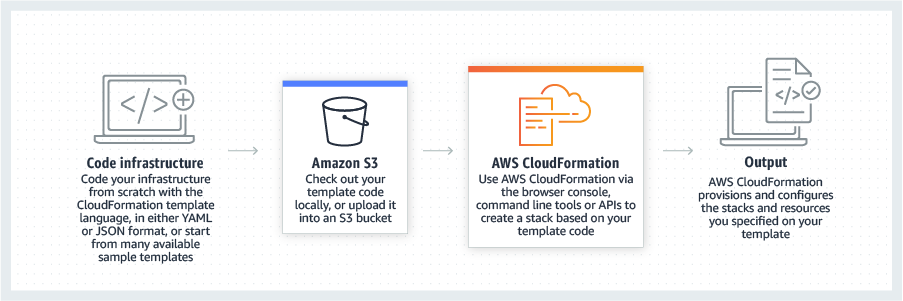
In this project we will create, define the infrastructure by code, just like you do with software development. This can bring a lot of benefits of being able to manage infrastructure, share infrastructure in a common language.
CloudFormation use as a configuration file, written by YAML language. In this project I will create infrastructure by CloudFormation:
- VPC
- Two private subnets, two public subnets
- Route tables for public and private subnets, and associate the route tables with the subnets.
- Two security groups, one for the application and other for the database
- An Internet Gateway
You can see the diagram below.
Part 1: Data Durability And Recovery
To build a VPC from the YAML file, follow the steps. Here are the steps to follow in the AWS console.
We run Cloudformation for both region us-east-1 as Primary and us-west-2 as Secondary (failover) region.
.png)
VPC.yaml
vpc.yaml
Description: AWS(FCJ workshop1) Design for Availability, Resilience, and Reliability

Parameters:
  VpcName:
    Description: VPC for project
    Type: String

  VpcCIDR:
    Description: IP range (CIDR notation) for this VPC
    Type: String
    Default: 10.1.0.0/16

  PublicSubnet1CIDR:
    Description: IP range (CIDR notation) for the public subnet in the first Availability Zone
    Type: String
    Default: 10.1.10.0/24

  PublicSubnet2CIDR:
    Description: IP range (CIDR notation) for the public subnet in the second Availability Zone
    Type: String
    Default: 10.1.11.0/24

  PrivateSubnet1CIDR:
    Description: IP range (CIDR notation) for the private subnet in the first Availability Zone
    Type: String
    Default: 10.1.20.0/24

  PrivateSubnet2CIDR:
    Description: IP range (CIDR notation) for the private subnet in the second Availability Zone
    Type: String
    Default: 10.1.21.0/24

Metadata:
  AWS::CloudFormation::Interface:
    ParameterGroups:
      - Label:
          default: 'Information for the VPC'
        Parameters:
          - VpcName
          - VpcCIDR
      - Label:
          default: 'Information for the VPCs subnets. Subnet network ranges MUST fall within the VPC CIDR block above'
        Parameters:
          - PublicSubnet1CIDR
          - PublicSubnet2CIDR
          - PrivateSubnet1CIDR
          - PrivateSubnet2CIDR

    ParameterLabels:
      VpcName:
        default: 'VPC Name'
      VpcCIDR:
        default: 'VPC CIDR block'
      PublicSubnet1CIDR:
        default: 'Public Subnet 1'
      PublicSubnet2CIDR:
        default: 'Public Subnet 2'
      PrivateSubnet1CIDR:
        default: 'Private Subnet 1'
      PrivateSubnet2CIDR:
        default: 'Private Subnet 2'

Resources:
  VPC:
    Type: AWS::EC2::VPC
    Properties:
      CidrBlock: !Ref VpcCIDR
      EnableDnsSupport: true
      EnableDnsHostnames: true
      Tags:
        - Key: Name
          Value: !Ref VpcName

  InternetGateway:
    Type: AWS::EC2::InternetGateway
    Properties:
      Tags:
        - Key: Name
          Value: !Ref VpcName

  InternetGatewayAttachment:
    Type: AWS::EC2::VPCGatewayAttachment
    Properties:
      InternetGatewayId: !Ref InternetGateway
      VpcId: !Ref VPC

  PublicSubnet1:
    Type: AWS::EC2::Subnet
    Properties:
      VpcId: !Ref VPC
      AvailabilityZone: !Select [0, !GetAZs '']
      CidrBlock: !Ref PublicSubnet1CIDR
      MapPublicIpOnLaunch: true
      Tags:
        - Key: Name
          Value: !Sub
            - ${VpcName} Public Subnet (${AZ1})
            - { AZ1: !Select [0, !GetAZs ''] }
  PublicSubnet2:
    Type: AWS::EC2::Subnet
    Properties:
      VpcId: !Ref VPC
      AvailabilityZone: !Select [1, !GetAZs '']
      CidrBlock: !Ref PublicSubnet2CIDR
      MapPublicIpOnLaunch: true
      Tags:
        - Key: Name
          Value: !Sub
            - ${VpcName} Public Subnet (${AZ2})
            - { AZ2: !Select [1, !GetAZs ''] }
  PrivateSubnet1:
    Type: AWS::EC2::Subnet
    Properties:
      VpcId: !Ref VPC
      AvailabilityZone: !Select [0, !GetAZs '']
      CidrBlock: !Ref PrivateSubnet1CIDR
      MapPublicIpOnLaunch: false
      Tags:
        - Key: Name
          Value: !Sub
            - ${VpcName} Private Subnet (${AZ1})
            - { AZ1: !Select [0, !GetAZs ''] }
  PrivateSubnet2:
    Type: AWS::EC2::Subnet
    Properties:
      VpcId: !Ref VPC
      AvailabilityZone: !Select [1, !GetAZs '']
      CidrBlock: !Ref PrivateSubnet2CIDR
      MapPublicIpOnLaunch: false
      Tags:
        - Key: Name
          Value: !Sub
            - ${VpcName} Private Subnet (${AZ2})
            - { AZ2: !Select [1, !GetAZs ''] }

  PublicRouteTable:
    Type: AWS::EC2::RouteTable
    Properties:
      VpcId: !Ref VPC
      Tags:
        - Key: Name
          Value: !Sub ${VpcName} Public Routes

  DefaultPublicRoute:
    Type: AWS::EC2::Route
    DependsOn: InternetGatewayAttachment
    Properties:
      RouteTableId: !Ref PublicRouteTable
      DestinationCidrBlock: 0.0.0.0/0
      GatewayId: !Ref InternetGateway

  PublicSubnet1RouteTableAssociation:
    Type: AWS::EC2::SubnetRouteTableAssociation
    Properties:
      RouteTableId: !Ref PublicRouteTable
      SubnetId: !Ref PublicSubnet1

  PublicSubnet2RouteTableAssociation:
    Type: AWS::EC2::SubnetRouteTableAssociation
    Properties:
      RouteTableId: !Ref PublicRouteTable
      SubnetId: !Ref PublicSubnet2

  PrivateRouteTable:
    Type: AWS::EC2::RouteTable
    Properties:
      VpcId: !Ref VPC
      Tags:
        - Key: Name
          Value: !Sub ${VpcName} Private Routes

  DatabaseSecurityGroup:
    Type: AWS::EC2::SecurityGroup
    Properties:
      GroupDescription: Udacity ARR Project - Database Security Group
      GroupName: UDARR-Database
      SecurityGroupIngress:
        - Description: Application EC2 instances
          FromPort: 3306
          IpProtocol: tcp
          SourceSecurityGroupId: !Ref ApplicationSecurityGroup
          ToPort: 3306
      VpcId: !Ref VPC
      Tags:
        - Key: Name
          Value: UDARR-Database

  ApplicationSecurityGroup:
    Type: AWS::EC2::SecurityGroup
    Properties:
      GroupDescription: Udacity ARR Project - Application Security Group
      GroupName: UDARR-Application
      SecurityGroupIngress:
        - Description: SSH from the Internet
          FromPort: 22
          IpProtocol: tcp
          CidrIp: 0.0.0.0/0
          ToPort: 22
      VpcId: !Ref VPC
      Tags:
        - Key: Name
          Value: UDARR-Application

Outputs:
  VPC:
    Description: VPC ID
    Value: !Ref VPC

  PublicSubnets:
    Description: A list of the public subnets
    Value: !Join [', ', [!Ref PublicSubnet1, !Ref PublicSubnet2]]

  PrivateSubnets:
    Description: A list of the private subnets
    Value: !Join [', ', [!Ref PrivateSubnet1, !Ref PrivateSubnet2]]

  DatabaseSecurityGroup:
    Description: ID of the database security group
    Value: !Ref DatabaseSecurityGroup

  ApplicationSecurityGroup:
    Description: ID of the EC2 instance security group
    Value: !Ref ApplicationSecurityGroup
A. Data Durability And Recovery
Pick two AWS regions. An active region and a standby region ( us-east-1 and us-west-2 regions ) Use CloudFormation to create one VPC in each region. Name the VPC in the active region "Primary" and name the VPC in the standby region "Secondary".
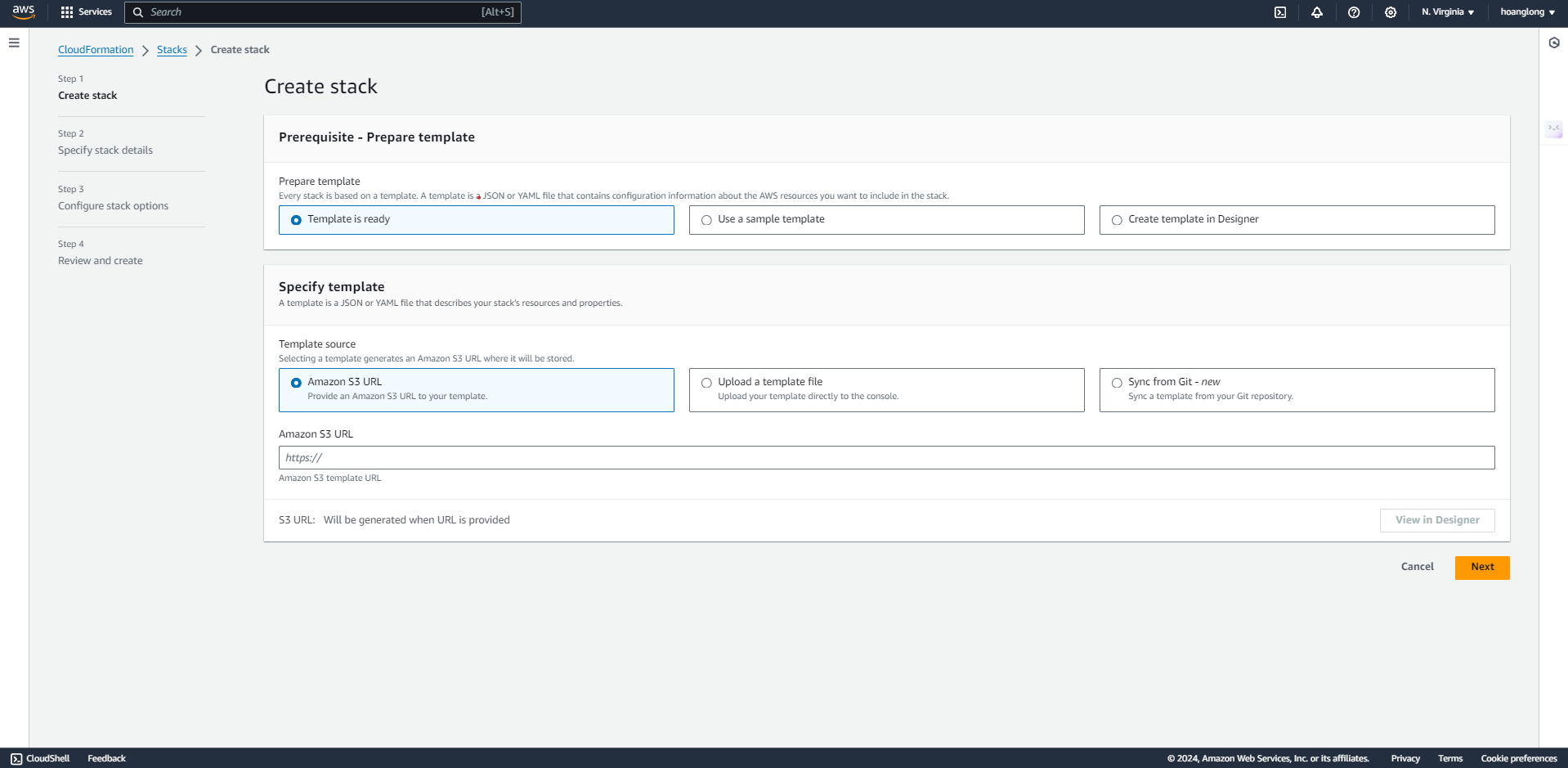
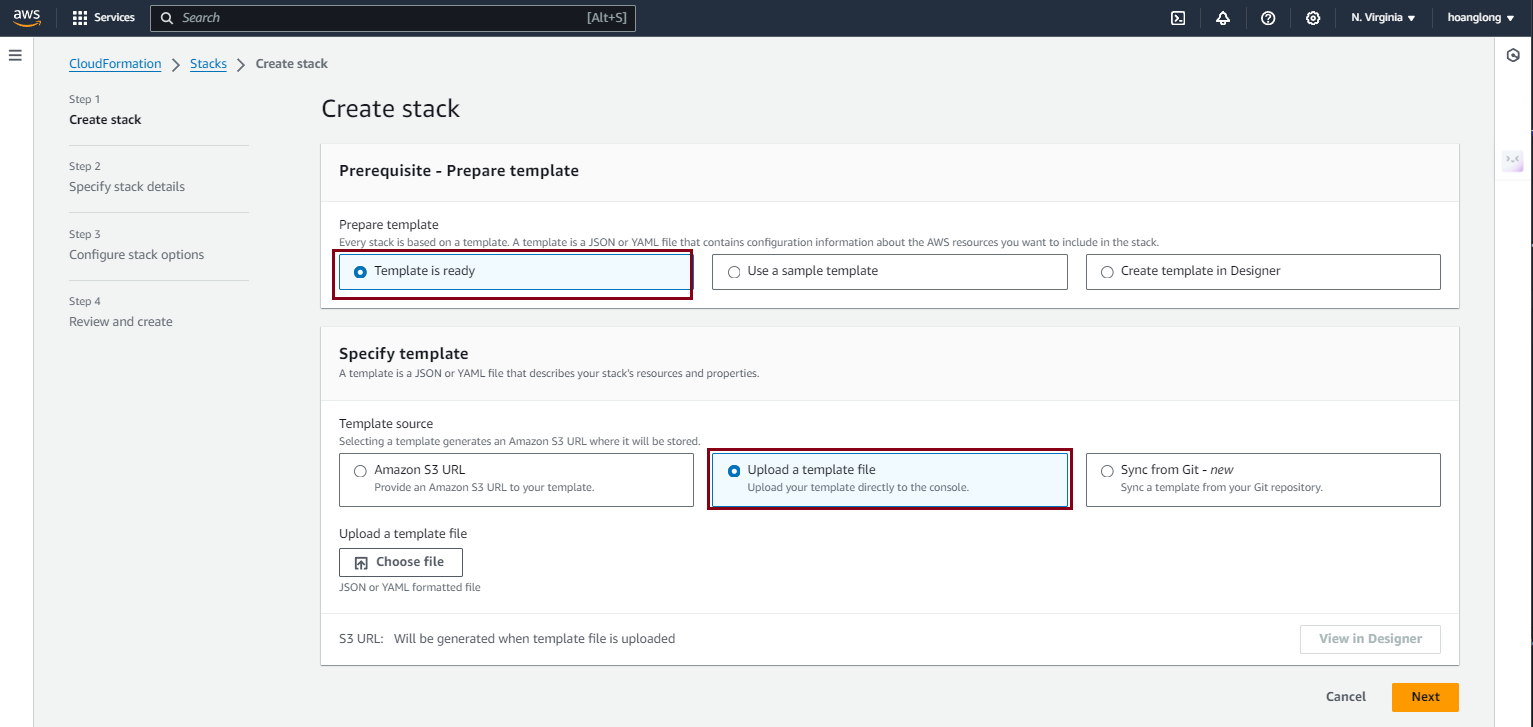
- Services -> CloudFormation
- Create stack “With new resources (standard)”
- Template is ready
- Upload a template file
- Click “Choose file” button
- Select provided YAML file
- Next
- Fill in Stack name, for example, fcj-project1-stack for the Primary and fcj-project1-stack-secondary for the Secondary stack.
- Name the VPC. You'll want to name the primary VPC "Primary" and the secondary VPC "Secondary".
- Update the CIDR blocks to match the architecture diagram above - you only need to do it in the secondary region
- Click Next
- Next again
- Click Submit
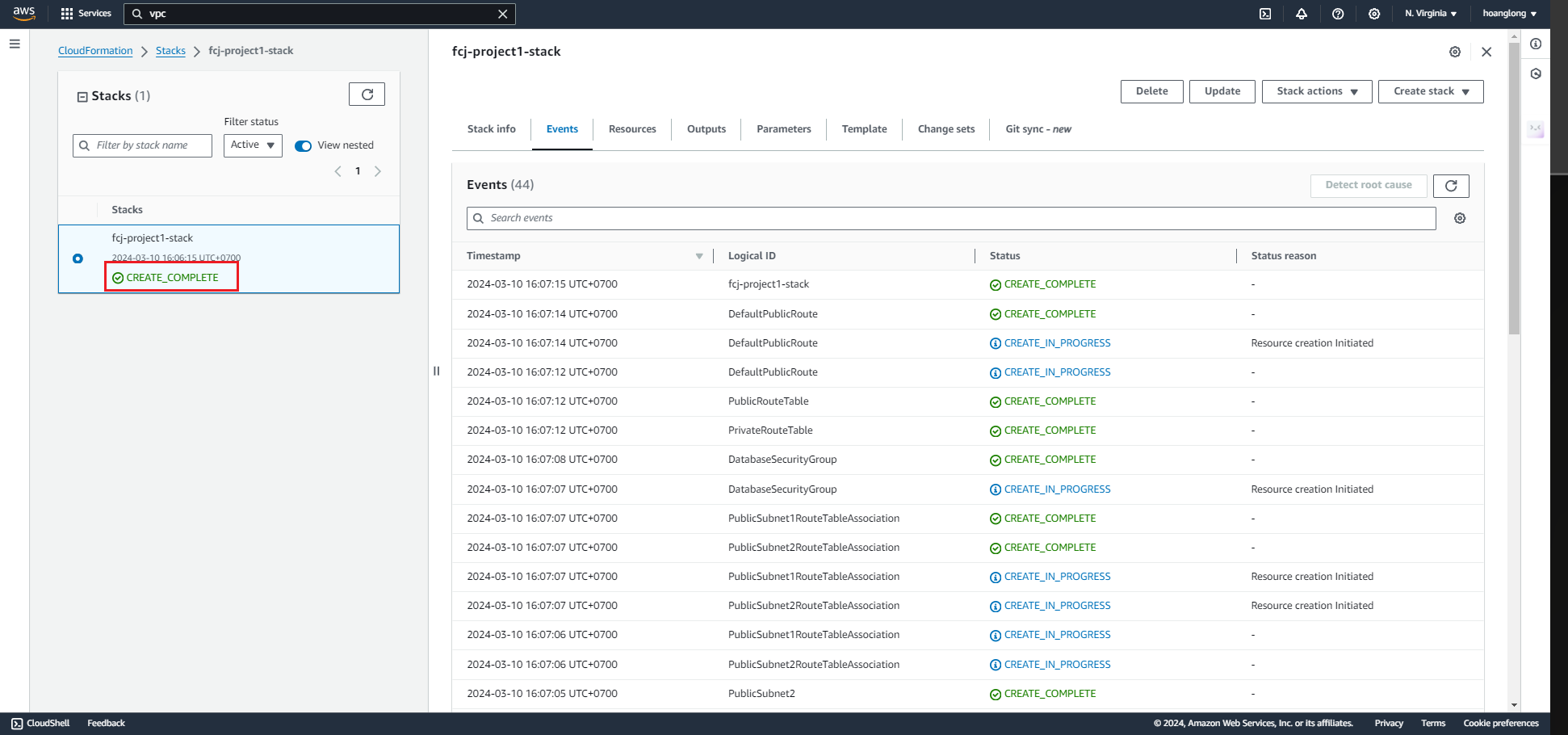
- Wait for the stack to build out. Refresh until status becomes “CREATE_COMPLETE”
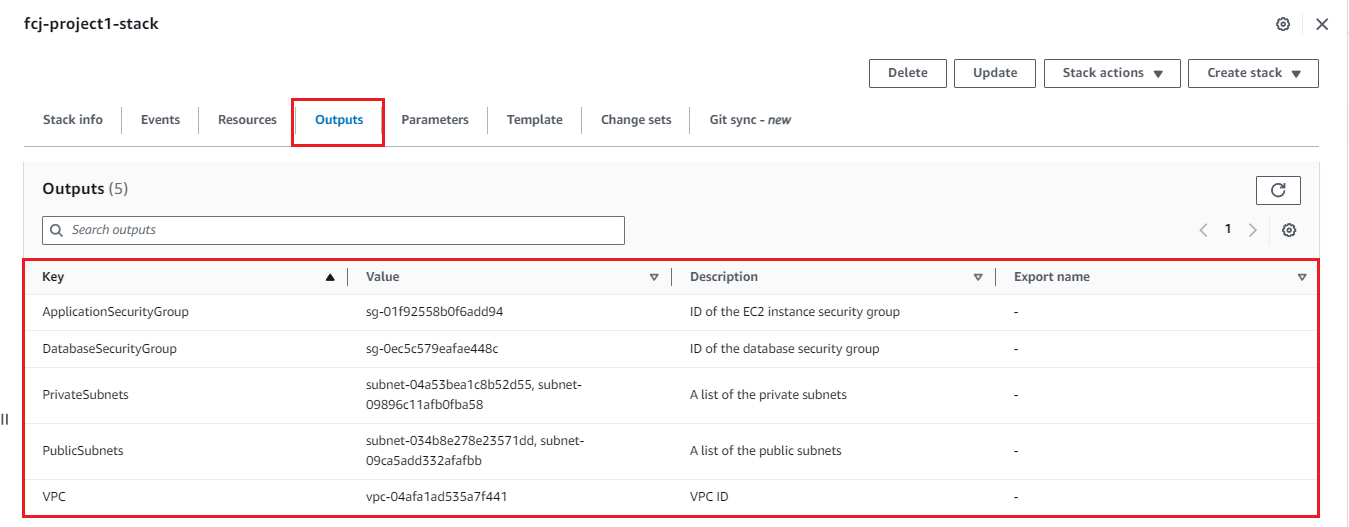
- Observe the “Outputs” tab for the created IDs. These will be used later.
We can see all the output of running cloudformation.
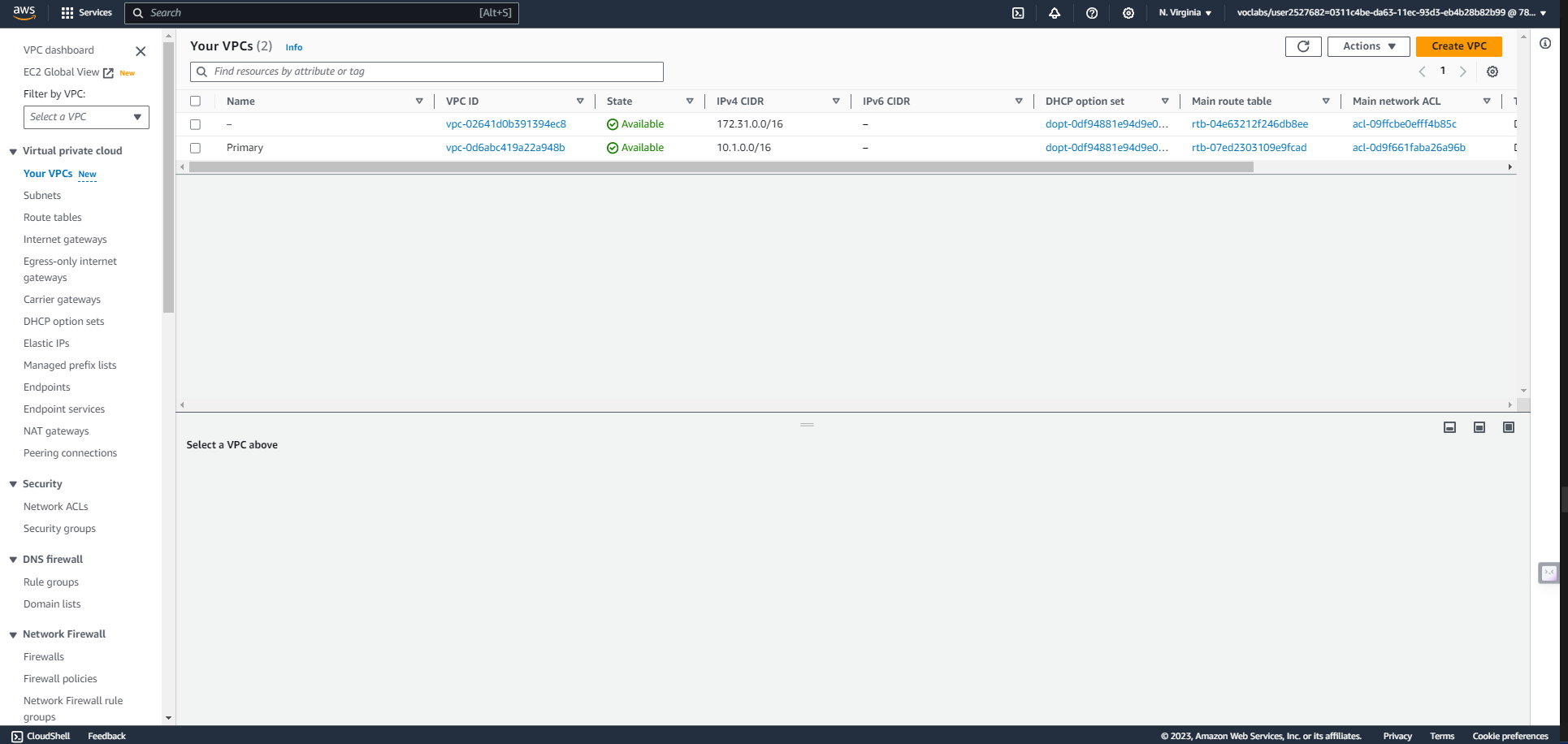
VPC in Primary region - us-east-1
PRIMARY SUBNET ROUTING
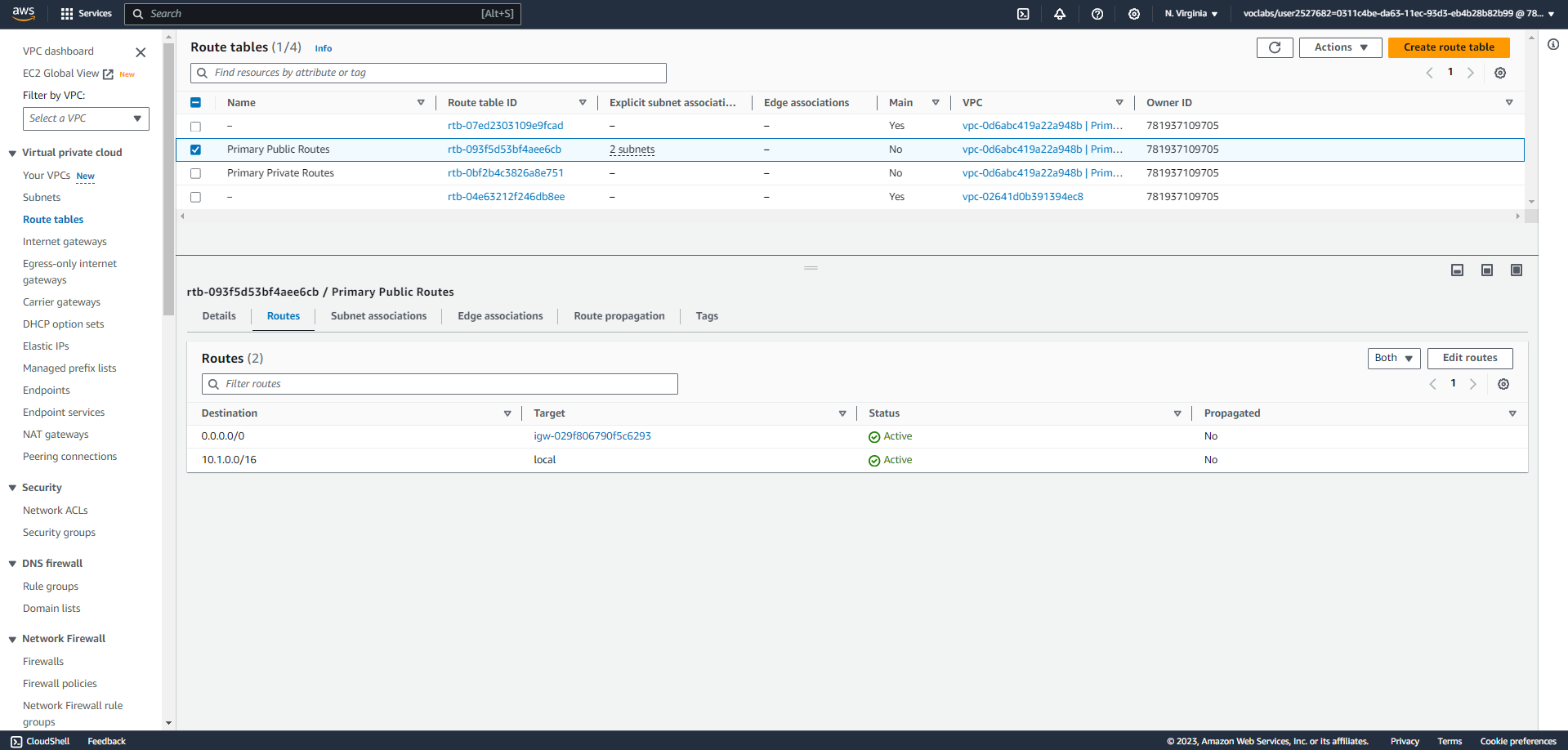
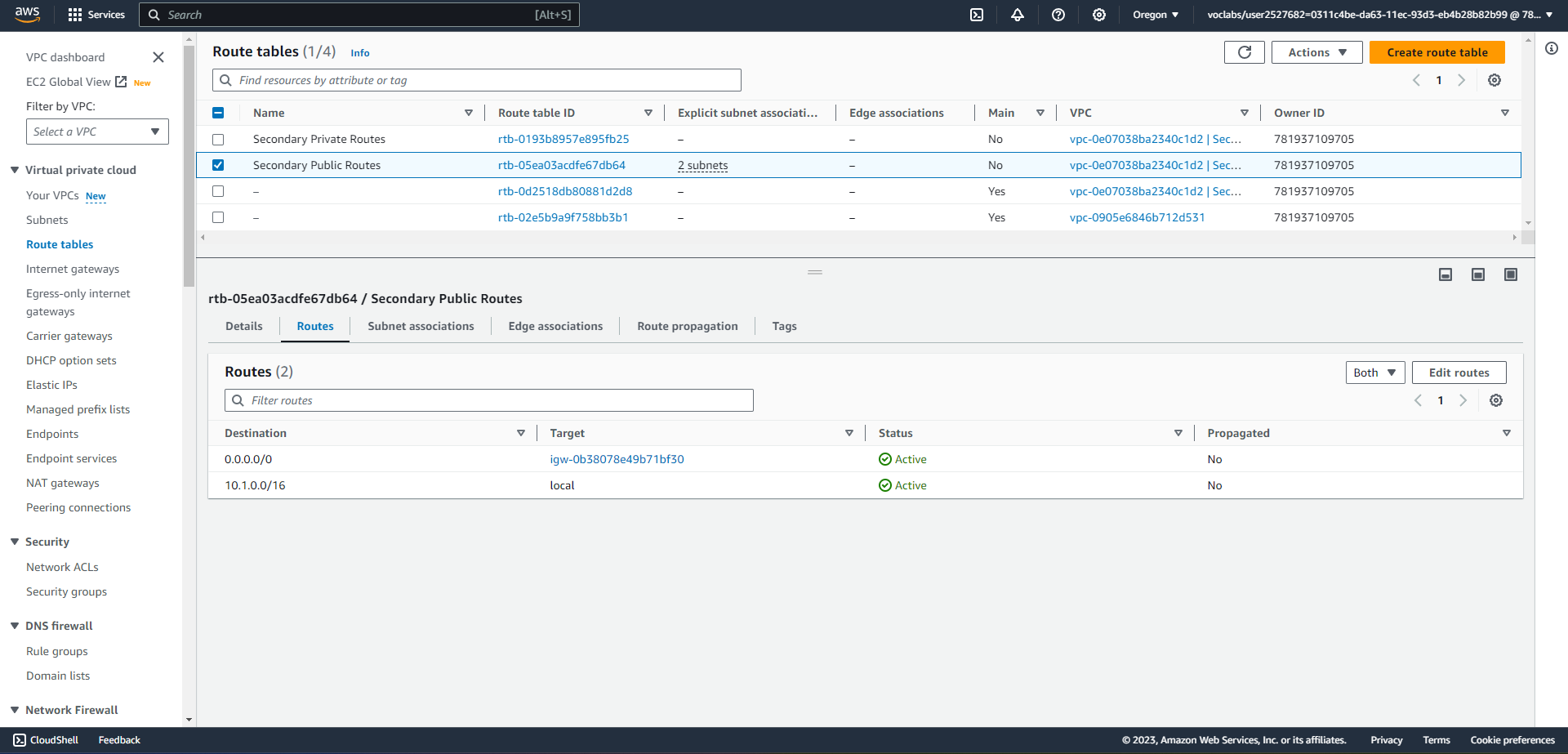
VPC in Secondary region us-west-2
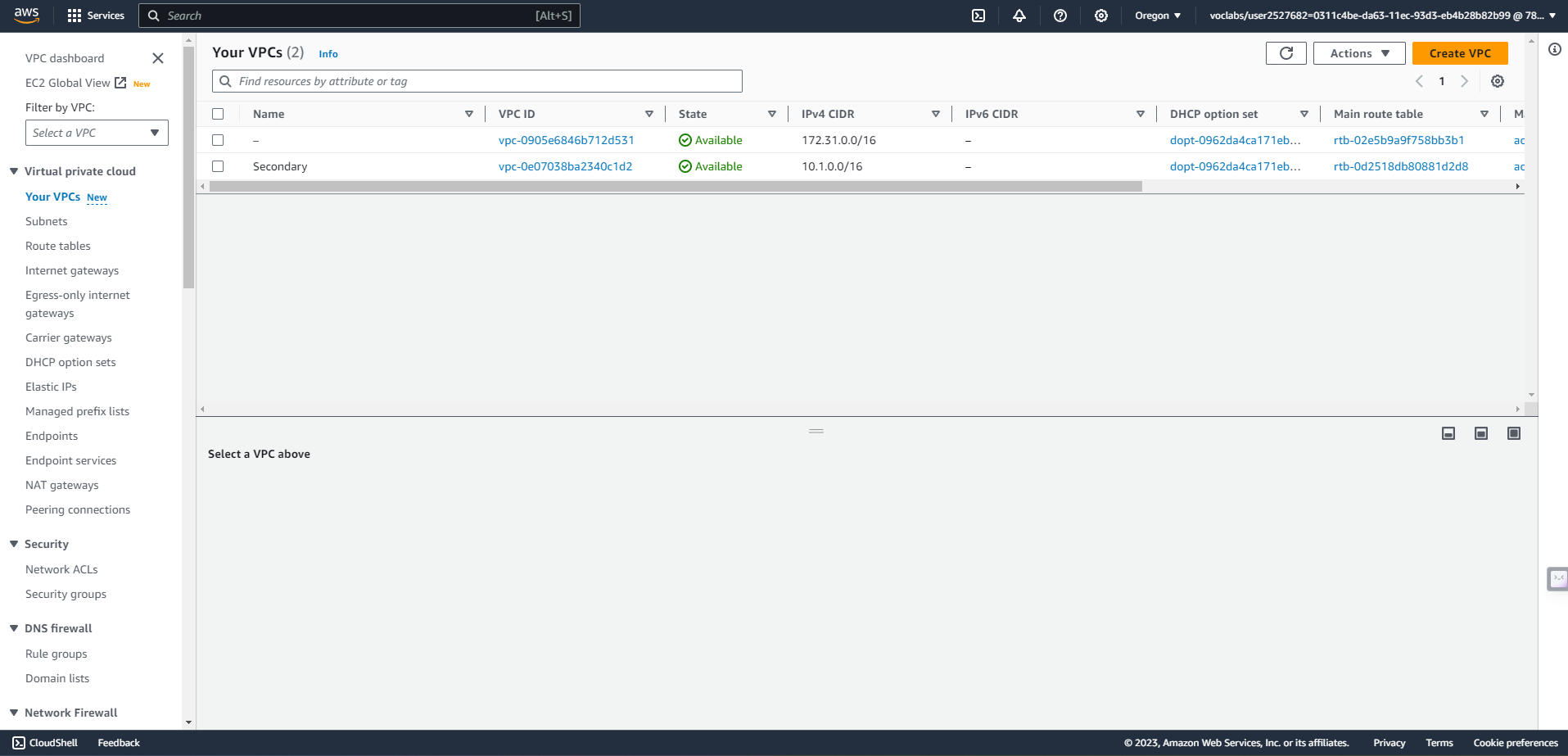
SECONDARY SUBNET ROUTING
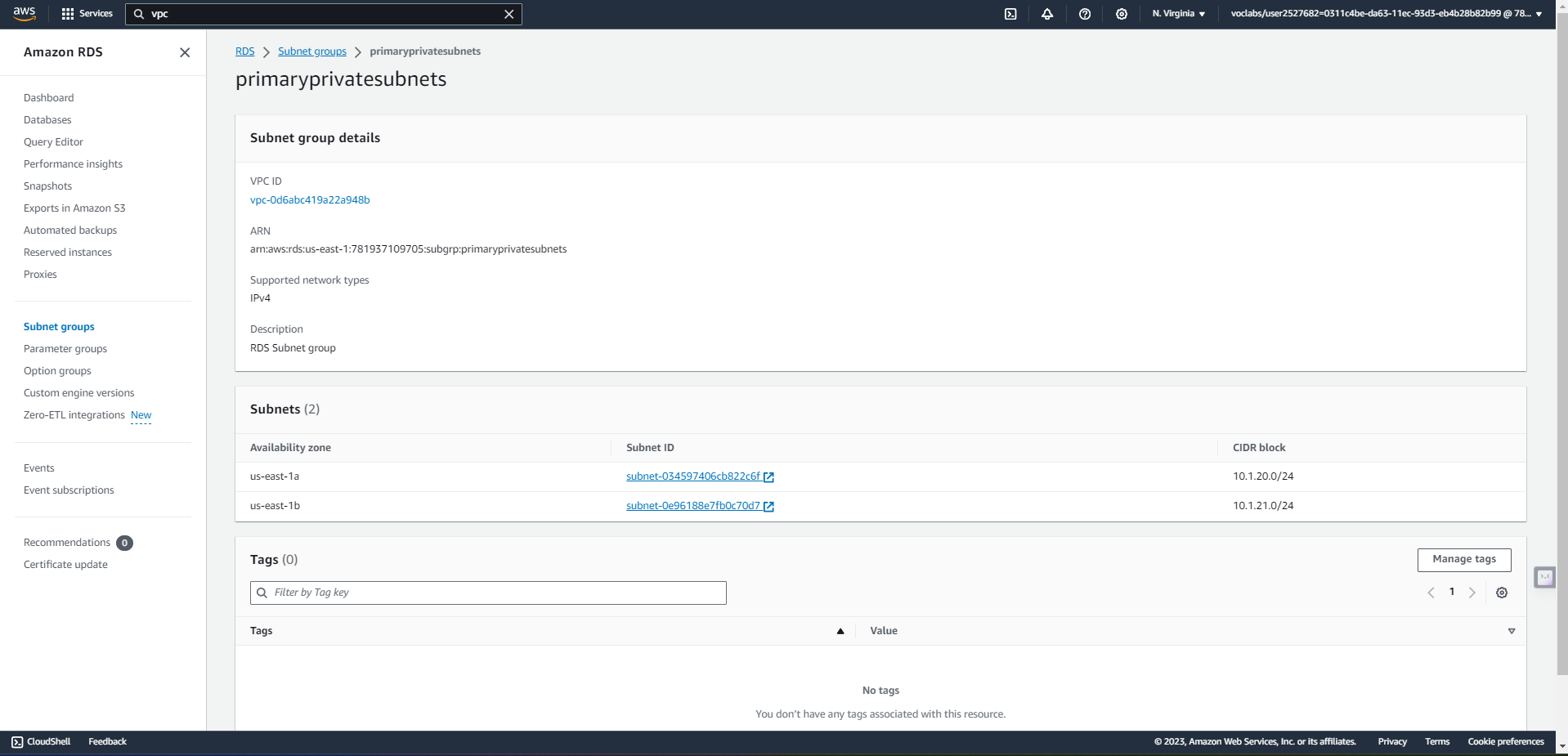
B.Highly resilient RDS Database
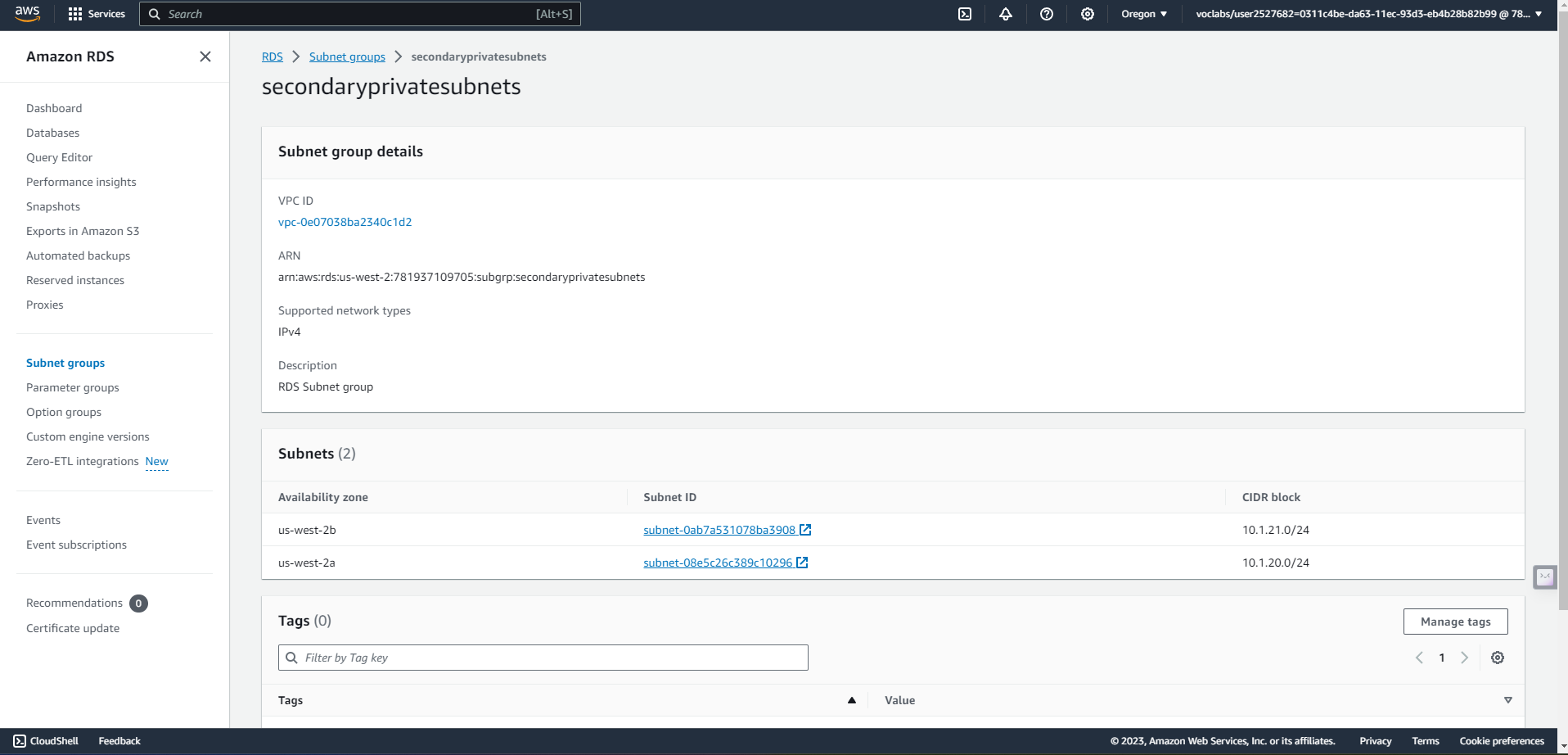
- Establish a new RDS Subnet group in both the primary and secondary regions utilizing private subnets.
- Create a new MySQL, multi-AZ database in the active region. The database must:
- Be a “burstable” instance class.
- Have only the “UDARR-Database” security group.
- Have an initial database called “udacity.”
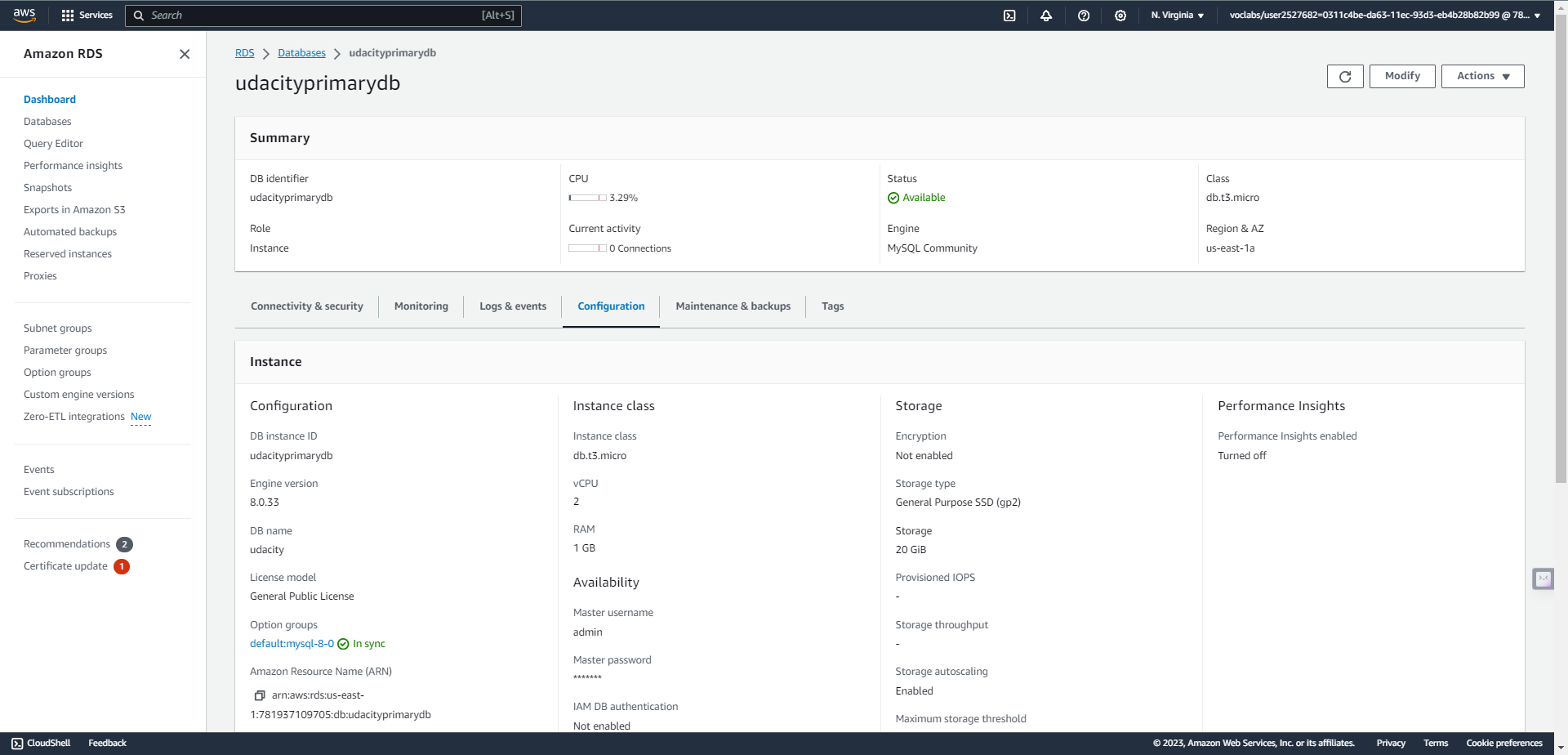
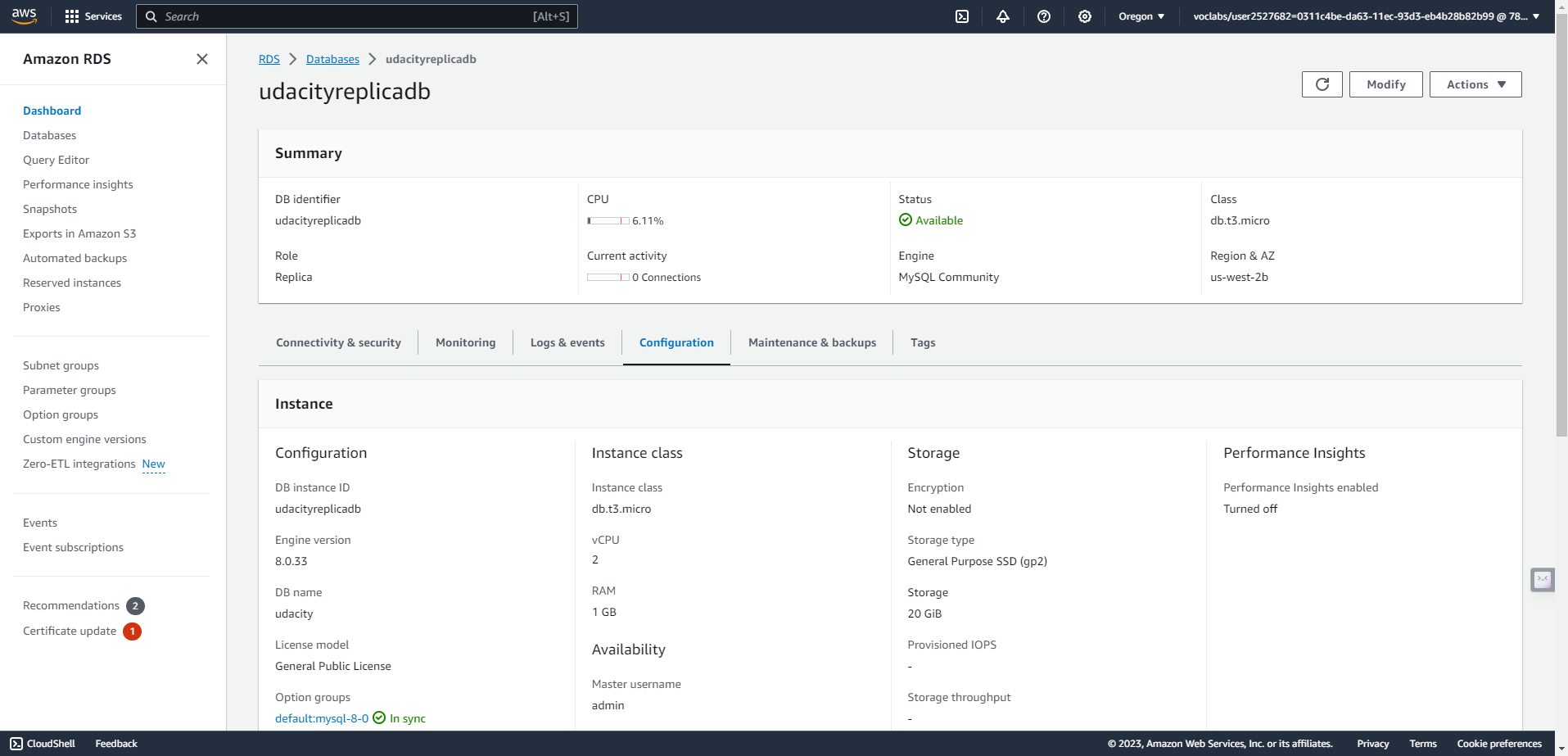
- Create a read replica database in the standby region. This database has the same requirements as the database in the active region.
In secondary region